The best AI video generator apps for iPhone in 2026 — tested
For quick text-to-video or photo-to-video on iPhone without adding another subscription, GO AI Chat (our app — video via Grok, up to 15 seconds, inside a full multi-model chat app) is the practical pick. For maximum cinematic control, a dedicated provider app like Runway or Kling AI wins. For meme-speed social clips, Grok inside X is hard to beat. Everything on a phone tops out around 15 seconds per clip in 2026 — plan around that, not against it.
We ship an AI app with video generation, which means two things: we generate test clips more or less daily, and we have an obvious bias. This list handles the bias the only honest way — our app is here, clearly labeled, alongside the tools we actually respect and use for comparison.
What phone AI video can and can't do in 2026
Before comparing apps, calibrate expectations. As of August 2026, phone-friendly AI video means clips of roughly 6–15 seconds, generated in about a minute, from a text prompt or a source photo. Motion quality has improved dramatically; physics and hands still glitch; text inside videos is still mostly garbage. Nobody on this list generates a coherent 3-minute film from one prompt — longer pieces are chained from short clips.
That constraint shapes what these tools are good for: social posts, product teasers, animated memories from photos, meme formats, mood pieces, and storyboarding. If that's your use case, phone AI video is legitimately useful today.
1. GO AI Chat — best if you want video inside a full AI app
Disclosure: this is our app. The pitch is simple: you probably don't want a video-only subscription. GO AI Chat does text-to-video and image-to-video through Grok — clips up to 15 seconds — inside an app whose main job is multi-model chat: GPT-5, Gemini, Grok 4, and DeepSeek, switchable mid-conversation, plus image generation across three model families, a photo Studio, voice mode, and 18 expert personas. One subscription, all of it, on iPhone, iPad, and Mac.
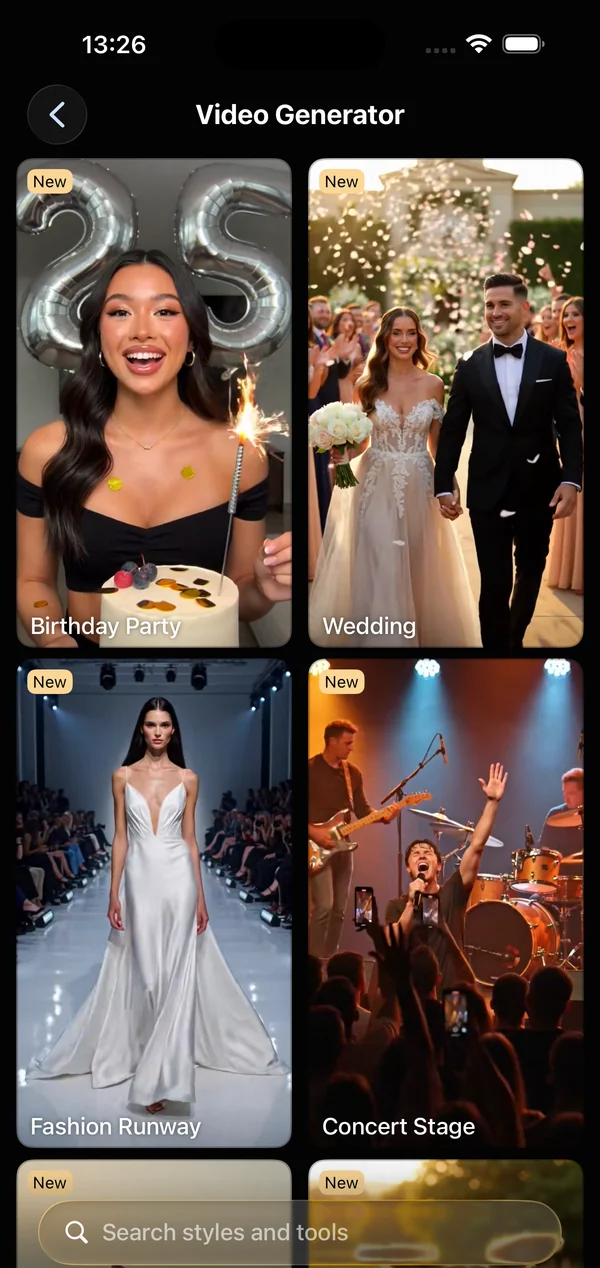
Good: fastest path from idea to clip if you already chat with AI; photo-to-video included; output saves straight to Photos. Limits: one video model family (Grok) — if you need a specific look from a specific provider model, a dedicated app gives you more knobs. Full walkthrough here.
2. Runway — best for control and a pro pipeline
Runway remains the default answer for people who treat AI video as a craft: fine-grained motion controls, reference styling, and a mature ecosystem that professionals actually use. The iPhone app is a companion to a web workflow more than a phone-first tool. If you're producing client work or building a channel around AI video, start here and accept the learning curve and the pricing.
3. Kling AI — best motion realism per dollar
Kling built its reputation on convincing human motion and physics. When a clip has to survive a slow-motion rewatch — people walking, fabric moving, liquids pouring — Kling output tends to hold up better than most. The trade-off is a busier app and queue times that vary with load.
4. Grok in X — best for social-first speed
xAI's video generation inside X is built for one loop: see a post, riff on it, publish. If your output's destination is an X timeline, generating where you post is the shortest path. The same underlying Grok capability powers video in GO AI Chat — the difference is context: X gives you the timeline, GO AI Chat gives you a full assistant around it and output that goes to your camera roll rather than a feed.
5. PixVerse / Luma Dream Machine — best for style experiments
Both are solid phone-native generators with distinct aesthetic presets and active template ecosystems (dance formats, transformations, anime styles). Good second apps: when you want a specific trending look, one of these probably has a template for it. Free tiers are tight and watermarked.
6. CapCut — best when the AI part is the garnish
CapCut is an editor first, with AI features sprinkled through. If your workflow is "shoot real footage, enhance and cut it," you want CapCut and not a generator. If your workflow is "type a sentence, get a video," it's the wrong starting point.
How to choose
| You are… | Pick | Why |
|---|---|---|
| Already paying for (or wanting) an AI chat app | GO AI Chat | Video rides along with GPT-5/Gemini/Grok 4/DeepSeek — no second subscription |
| Making client or channel work | Runway | Control, consistency, pro ecosystem |
| Chasing motion realism | Kling AI | Best-in-class human movement |
| Posting to X constantly | Grok in X | Generate where you publish |
| Copying a trending format | PixVerse / Luma | Template libraries |
| Editing real footage | CapCut | It's an editor, and that's the point |
One meta-tip from daily use: prompt quality moves results more than app choice. A specific subject, one clear action, a camera direction, and a style beat a paragraph of vibes in every tool on this list. We keep a set of patterns that work in our iPhone video guide.
FAQ
Can I generate AI videos on iPhone for free?
Usually a limited number of generations. Video is the most expensive thing an AI app can produce, so every serious tool meters it. Free tiers are for finding out whether the tool fits, not for production use.
Why are AI videos only a few seconds long?
Compute cost grows steeply with length, and models lose coherence over longer sequences. As of 2026, roughly 6–15 seconds is the norm for phone apps. Longer stories are made by chaining clips.
Do AI video apps watermark the output?
It varies by app and by tier — free output is watermarked more often than paid. Check before you publish; policies change frequently.
What's the fastest way to try AI video without a new subscription?
Use an app you'd keep for other reasons. GO AI Chat includes video generation alongside GPT-5, Gemini, Grok 4, and DeepSeek chat, image generation, and voice mode — the subscription is not video-only.